Five people. One system.
Each one sees only what is hers.
The cleaner checks her week on her phone on Sunday night. The owner approves payroll on Monday. The client sees the professional is on her way. The accountant downloads the year. Same CleanerFlow — the right screen for each one.
- Real screens from the app
- English · Português · Español
- On the phone and the computer
Solo Cleaner
You clean on your own and run the business from your phone.
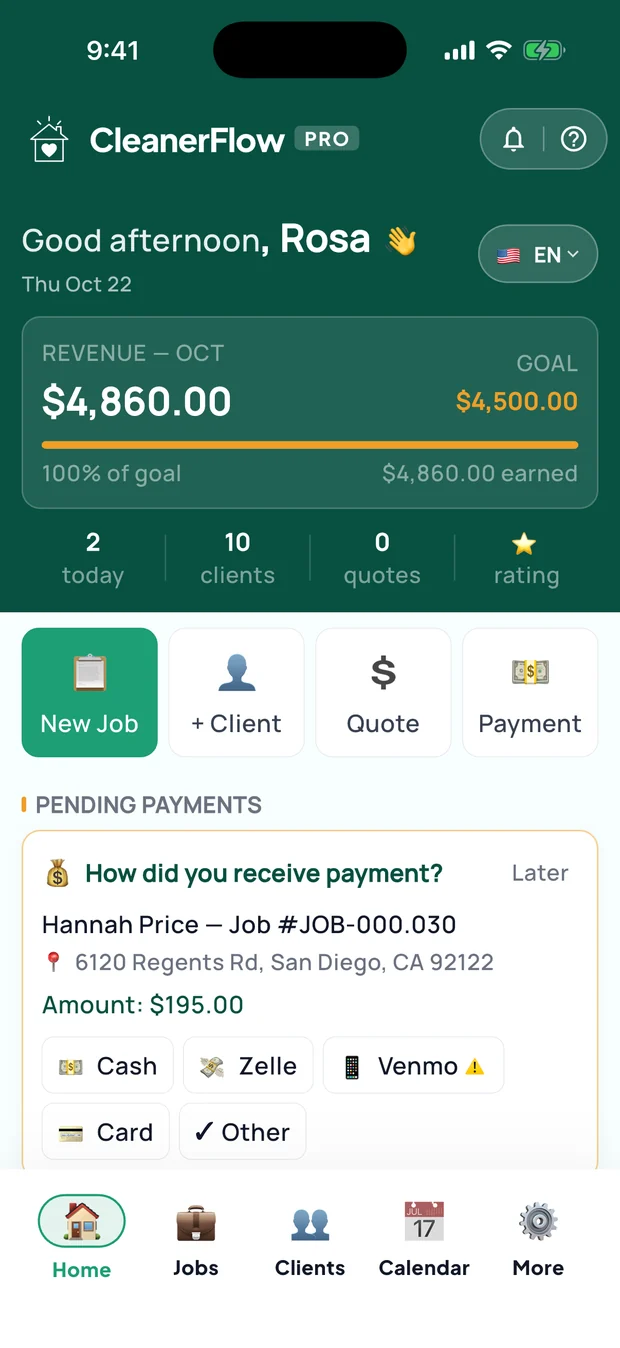
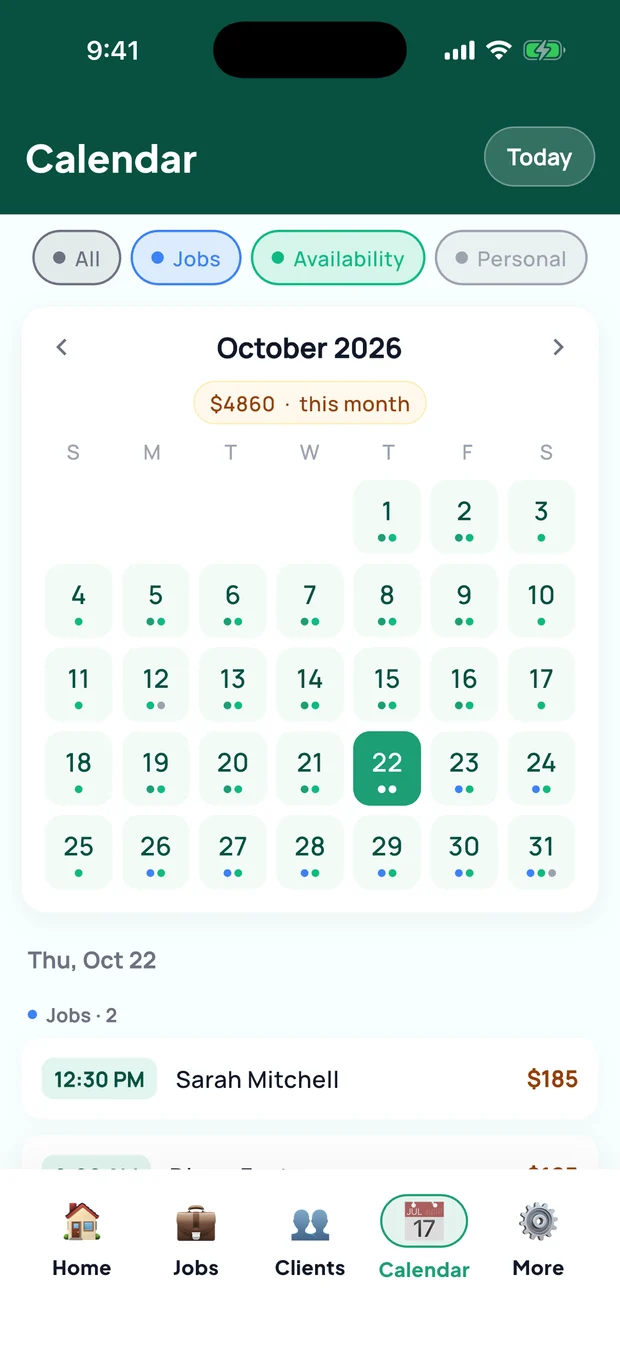
Sunday night, notebook open, trying to remember if Tuesday's house is confirmed. That page goes away.
What changesYour week, your clients, your money — in one app, in your language.
Your day and your week
- Today's jobs on the home screen, with New job, New client, Quote and Payment one tap away
- Create a job in 5 steps: client and house, extras, how often it repeats, date and time, and the price before you save
- "On my way" and "Arrived" buttons, then clock in and clock out
- A calendar with three layers: your jobs, your availability and your personal phone calendar
Quotes that look professional
- A quote calculator that builds the price step by step and sends it by text and email, with a link and a PDF
- A quote inbox: pending, converted and declined. Approve, and the client, the house and the job are created for you
- Your own services and extras, with your own prices
Clients and houses
- Every client with her houses, notes and history, and a text message one tap from her card
- A private rating for each client that only you see
- A loyalty rule for a single client, applied to the price by itself
Getting paid
- An invoice and receipt for every finished job, in the client's language
- The unpaid list: mark a job paid and how it was paid — cash, Zelle, Venmo or card
- Earnings with tips, month by month
Taxes, organized
- Expenses with a photo of the receipt
- Mileage logged by itself when a job is paid, plus your manual trips, at the IRS rate
- My Money: revenue, expenses, what is left, and the annual tax report in PDF
Reputation and growth
- Reply to reviews, and get a ready-made reply to paste on Google or Yelp
- Your own loyalty program for your clients
- Your Passport with your numbers as a professional
- A cleaning assistant (AI), tutorials and the Academy
Your data, your rules
- Choose what your clients see in their app
- Export and back up all your data whenever you want
- A monthly revenue goal on your home screen
The app keeps it organized — you file your taxes with your accountant.
Cleaning company
Owners, admins and managers who run a team.
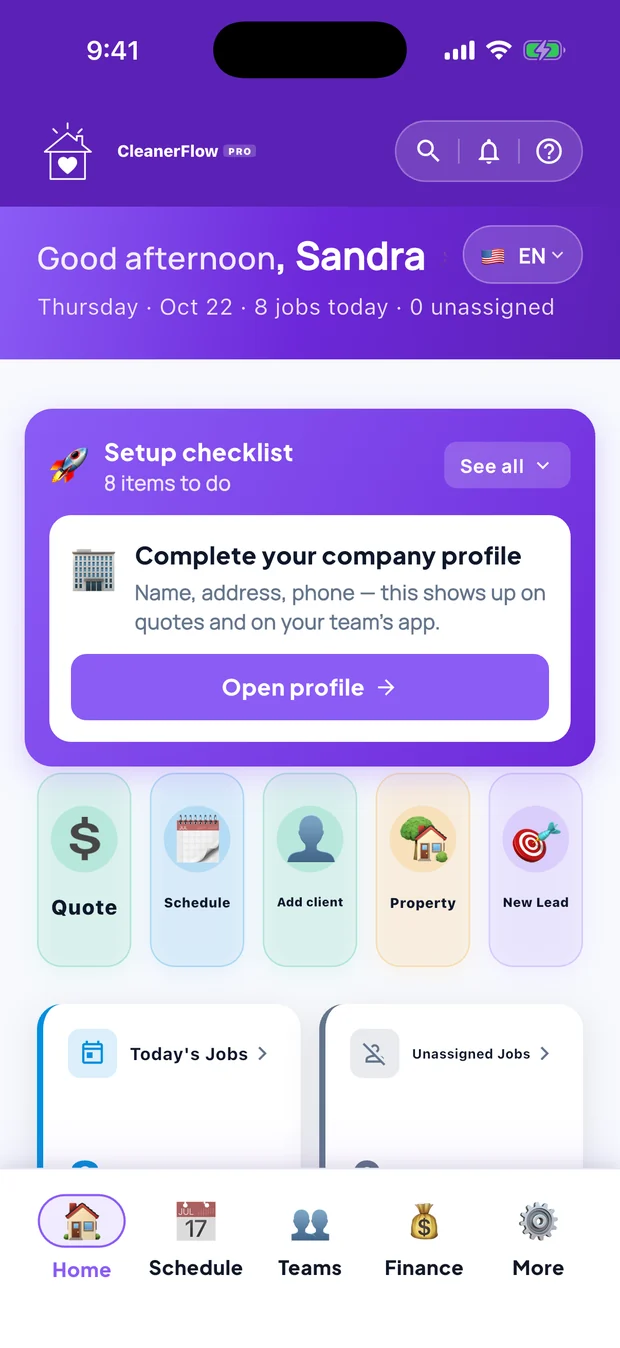
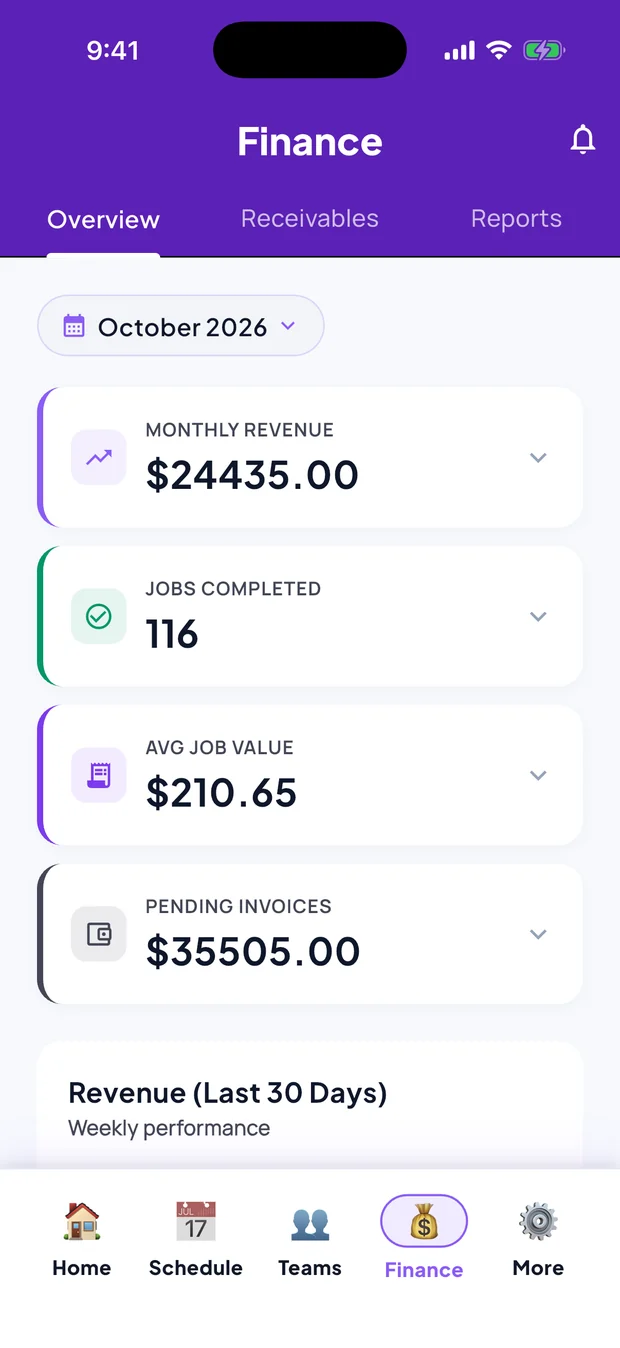
Monday, 7 a.m.: who is covering the house of the cleaner who called in sick, who still owes you, and whose W-9 is missing. All on one screen.
What changesRun the team without being the translator, the payroll clerk and the memory of every house.
The day at a glance
- Owner Today: what needs you first, by priority, with alerts you tune yourself
- Search everything: clients, jobs, team and houses
- A business assistant (AI) that answers about your own numbers
Schedule and jobs
- Create a job in 5 steps, with repeats and the cleaners assigned
- One timeline per job: status, messages, photos and payments together
- Reschedule, cancel, or cancel many jobs at once
- Photo audit: which jobs have check-in and check-out photos
Leads and quotes
- Every lead in one place, with an 8-step intake
- Approve or decline a quote and the client gets a text
- Your pricing model, time tolerance and service types
Houses that remember
- House memory: gate, alarm, pets and preferences stay with the house, even when the cleaner changes
- Photo history for each house
- Your cleaners' private notes about a client
Your team
- Invite a cleaner by text, in her language
- Weekly schedule and availability of the whole team
- Pay rates and permissions per person
- The ABC test to classify each worker as W-2 or 1099
Money and payroll
- Payroll: a weekly batch for W-2 employees and pay per job for 1099 contractors, with CSV
- What clients owe, record a payment, and the revenue chart
- Wage drift: jobs that ran much longer than planned
- Tip split rules: all to the cleaner, all to the company, or split
Taxes and compliance
- W-9 by text link: the contractor fills it in without an account and signs by typing her name
- 1099-NEC list and detail per contractor, with CSV
- Expenses with receipt photos, mileage and the annual tax report in PDF
- Invite your accountant with read-only access
Keeping clients
- Relationship health and revenue at risk, client by client
- A transition center for when a cleaner leaves
- Chat with clients in real time, and an issues inbox
Company and control
- Profile, hours, insurance, legal documents and checklist builder
- Choose exactly what your team and your clients see
- Privacy requests (CCPA), audit log and full data export
Team cleaner
You work for a company, as an employee or a 1099 contractor.
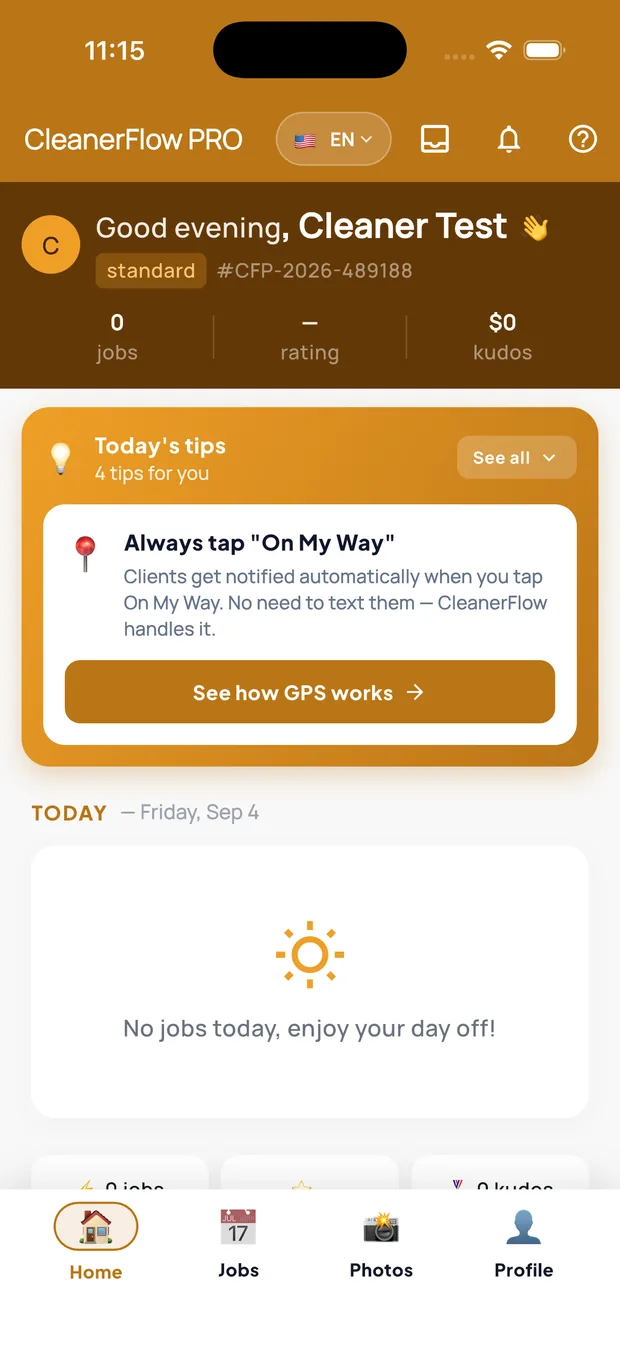
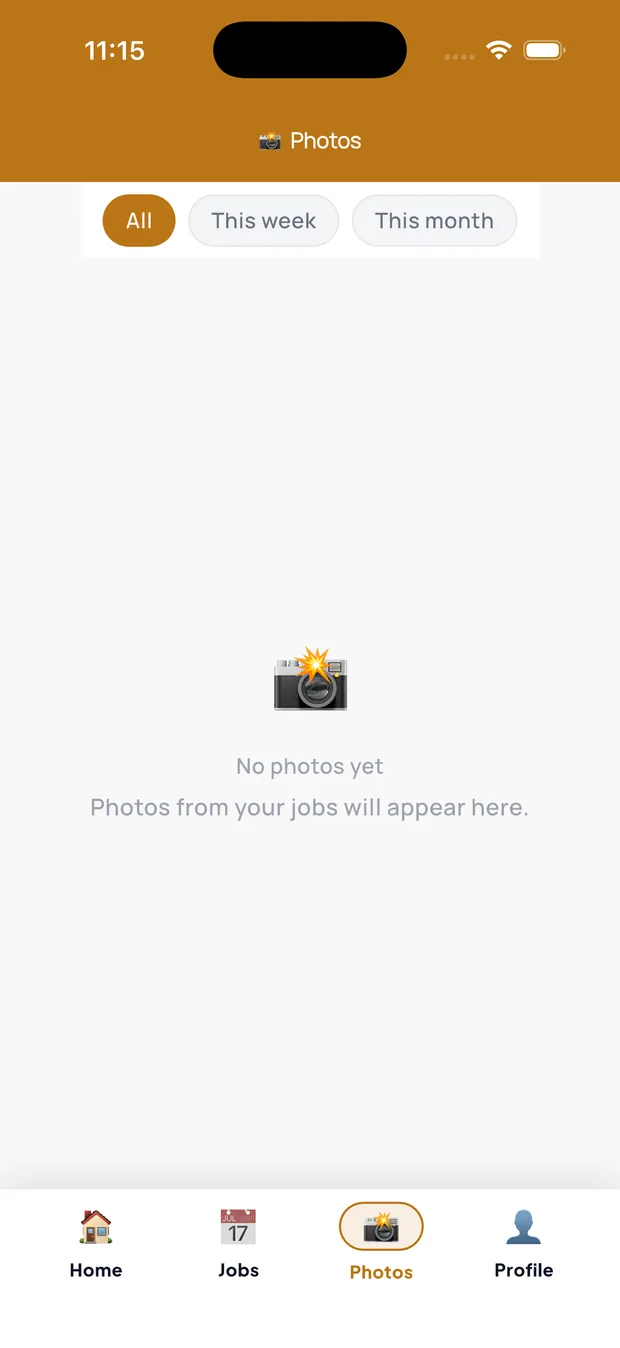
In the car, in front of the house: the gate code, the dog's name and the client's note are already on your screen. No calling the office.
What changesYour day in your language, your photos as proof, and your earnings where you can see them.
Your workday
- Today's jobs: accept or decline, "On my way", "Arrived" and "Done"
- Directions to the house in Google Maps
- Check-in at the house by GPS, with check-in photos and the job notes confirmed
- On iPhone, a reminder when you arrive, even with the app closed
During the job
- Pause and resume, and clock out at the end
- The checklist room by room
- Before and after photos, saved per job
- Report an issue or an incident on the spot
- A private note about the house that the client never sees
Your pay
- Your earnings, with an income statement in PDF
- Your own tips
- How you get paid: Zelle, Venmo, cash or check
Your career
- Your reviews and badges
- Your career path in the company
- Refer another professional
- Tutorials, the Academy and a cleaning assistant (AI)
If you work for more than one company
- Your own availability calendar
- "My companies": accept invites and switch between them
Client
The family or business that hires the cleaning.
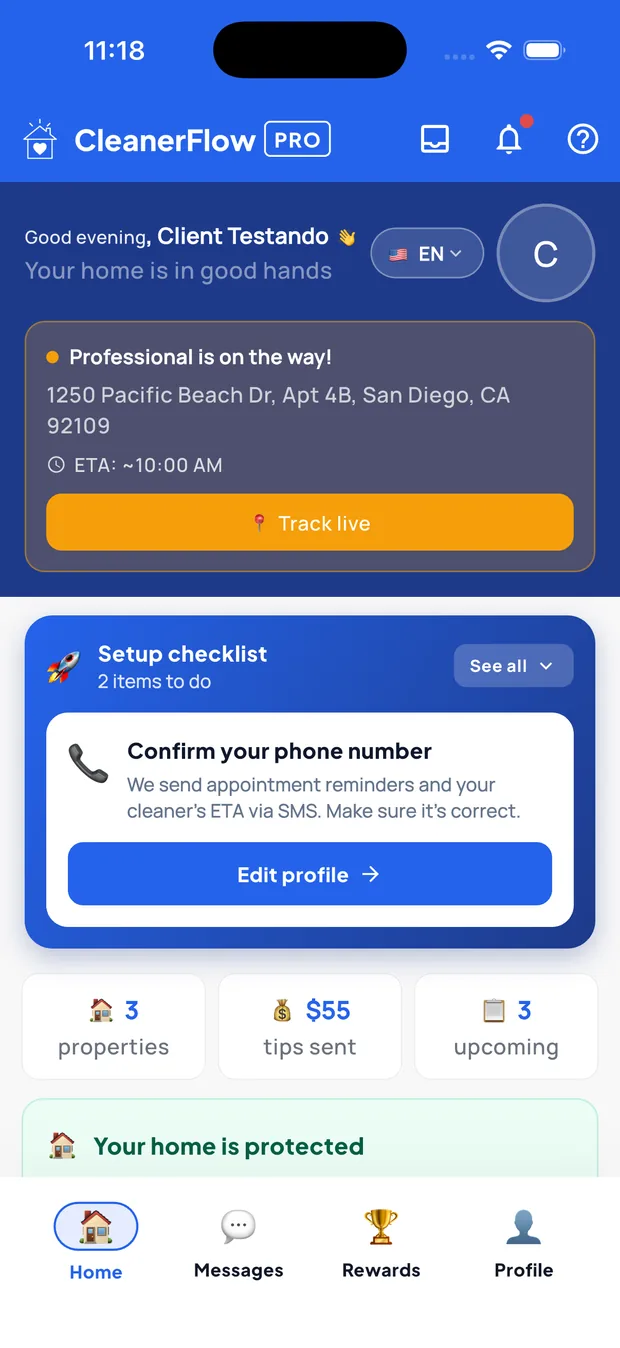
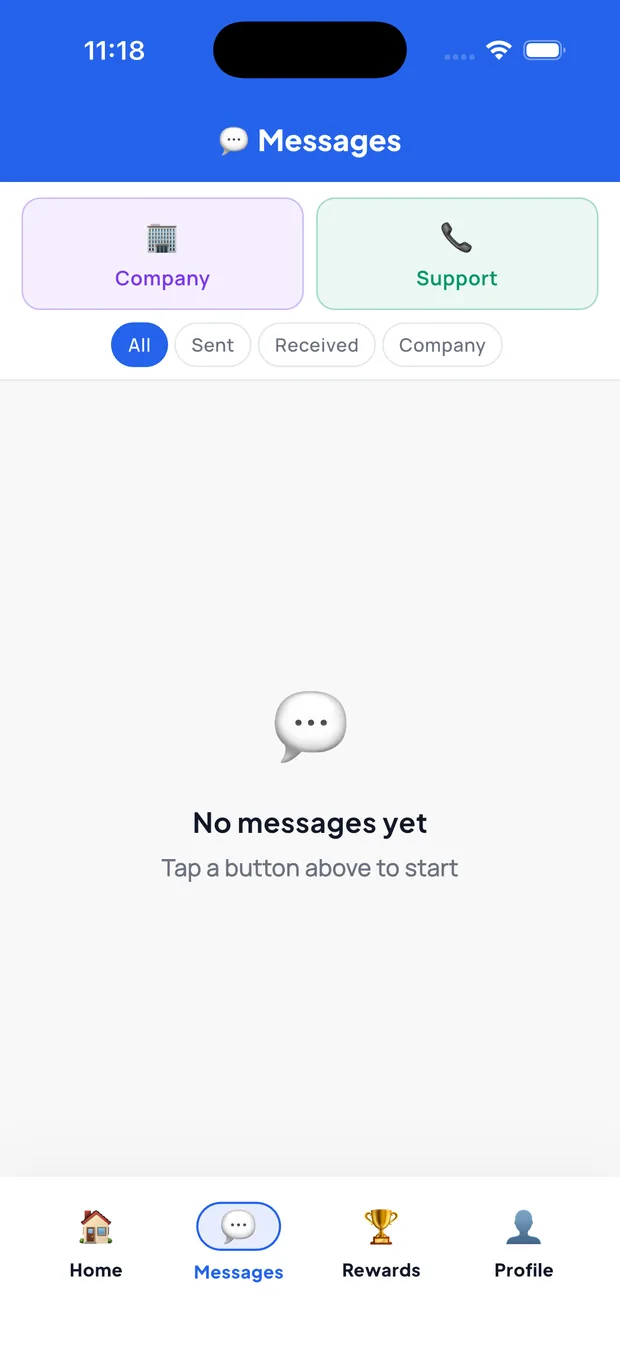
At work, she gets a notification: the professional is on her way, about 10 minutes out. She doesn't have to text anyone.
What changesYour clients book, follow, pay and tip — and keep coming back.
Booking
- Book a cleaning in open slots, with extras and the price shown first (when the company allows it)
- Ask for a service
- Reschedule, or ask to cancel
Following the visit
- Status, distance and arrival time, updated every 30 seconds — without showing the professional's exact location
- Upcoming visits and history, even across different companies
- Her houses, with entry instructions
Paying
- Invoices and receipts
- A tip, when the company allows it
- Her yearly spending, with a PDF
Talking and coming back
- Chat with the company in real time
- Report an issue
- Write a review — and, if she loved it, an invite to post it on Google or Yelp
- Loyalty and her own referral code
Accountant
The CPA or bookkeeper the owner invites.
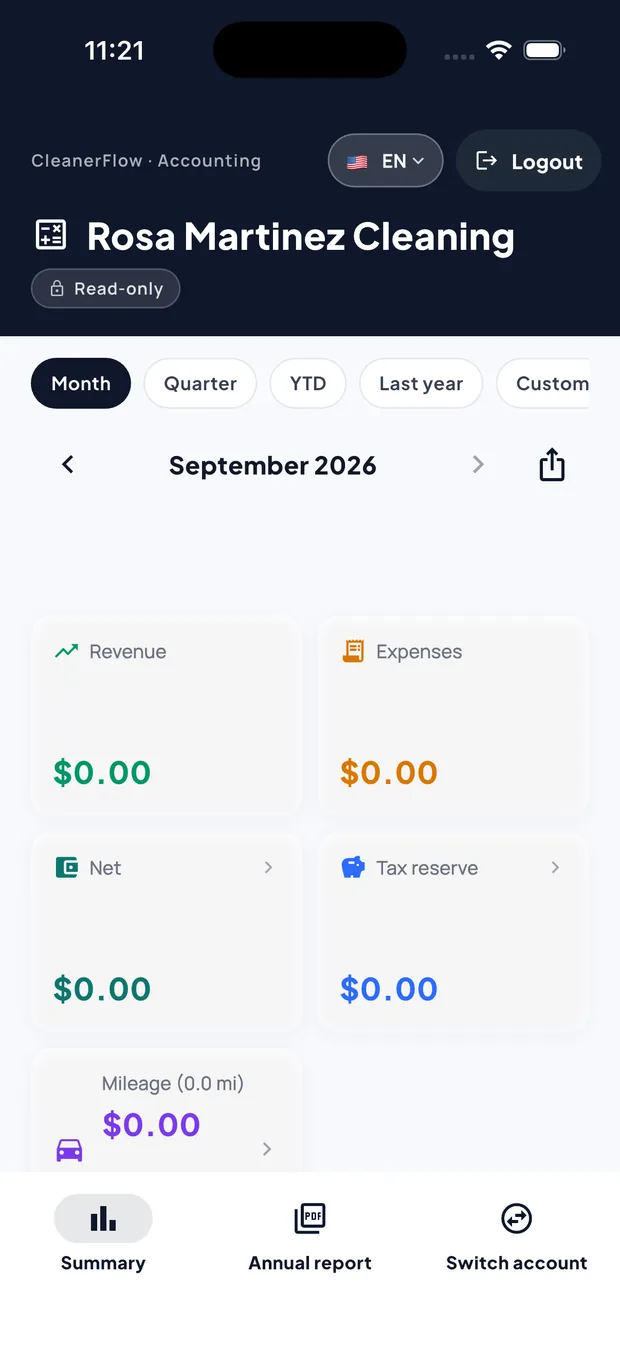
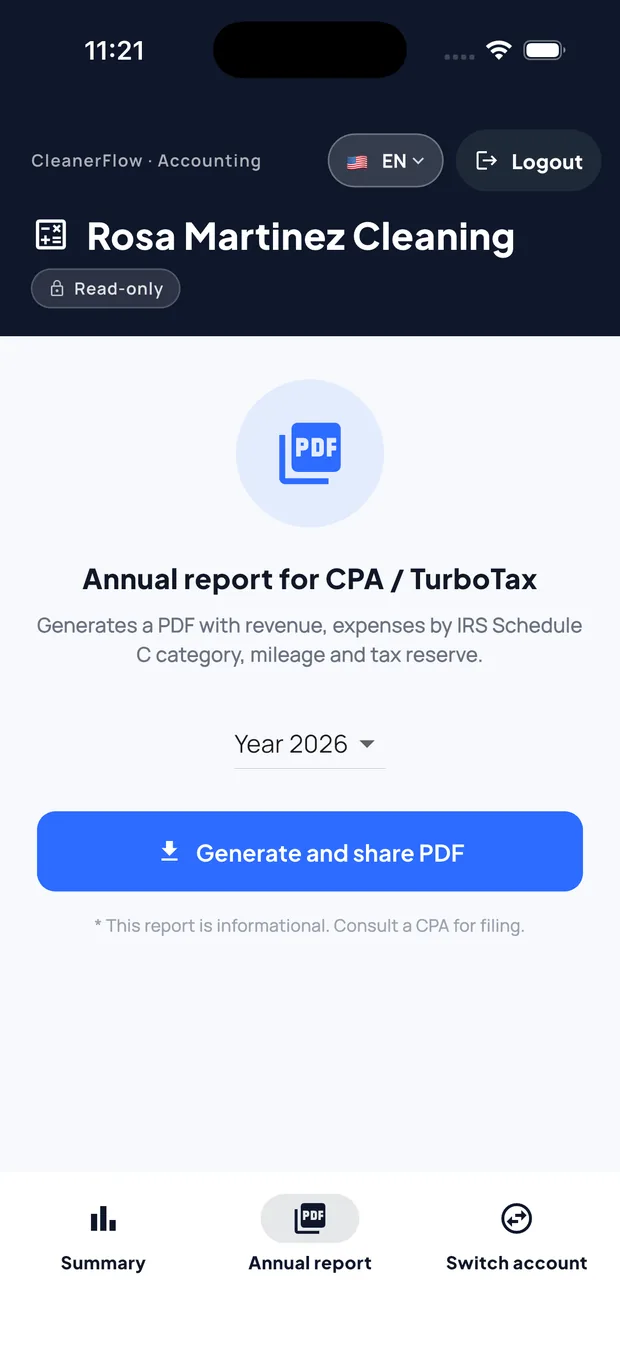
March, tax season: instead of a shoebox of receipts, a link with the year already separated by Schedule C line.
What changesThe books, ready to read — without touching anything that is not theirs.
Reading the business
- Revenue, expenses, net and tax reserve by month, quarter, year to date or last year
- Revenue, expenses (with processing fees) and mileage in detail
- Expenses grouped by Schedule C line
Taking it with you
- CSV of revenue, expenses and mileage
- The IRS mileage log in PDF
- The annual report in PDF, with 1099-K exposure and the contractors who reached the 1099-NEC threshold
Safe by design
- Read-only: the accountant sees and exports, and changes nothing
- Several client businesses in one login
- On the phone and on the computer
Everything each person has, in one table.
Tap a row to read it across. ✓ means it is there today.
| Solo Cleaner | Cleaning company | Team cleaner | Client | Accountant | |
|---|---|---|---|---|---|
| Everywhere | |||||
| English, Portuguese and Spanish | |||||
| Face ID / fingerprint lock | |||||
| Push notifications | |||||
| Delete the account inside the app | |||||
| Export your data | CSV + PDF | ||||
| Schedule and jobs | |||||
| Calendar | 1099 / several companies | her visits | |||
| Create jobs, with repeats | book or request | ||||
| "On my way" / "Arrived" / clock in | sees the status | ||||
| GPS check-in at the house | |||||
| Arrival time for the client | sends | ||||
| Job photos | review | takes | |||
| Checklists | builds | ||||
| Clients and sales | |||||
| Quote calculator and quote inbox | |||||
| Leads pipeline | |||||
| Clients and houses | her houses | ||||
| House memory and photo history | |||||
| Text messages to clients | |||||
| Chat inside the app | |||||
| Reviews | replies | sees hers | writes | ||
| Loyalty and referrals | refers a pro | ||||
| Money | |||||
| Invoices and receipts | |||||
| Tips | split rules | sees hers | gives | ||
| Team payroll (W-2 and 1099) | her earnings | ||||
| Taxes | |||||
| Expenses with receipt photo | reads | ||||
| Mileage at the IRS rate | |||||
| Annual tax report (PDF) | |||||
| W-9 by link and 1099-NEC | reads | ||||
| W-2 or 1099 classification test | |||||
| Help | |||||
| AI assistant | cleaning | business | cleaning | ||
| Tutorials and Academy | |||||
And for the days at a desk.
The phone does the day. The web does the rest.
The company dashboard
For the days you sit at the computer.
- Weekly board: drag a job to another day or another cleaner
- Bulk actions on up to 100 jobs at once
- Reports, collections and the change-request inbox
- Bring your data from another platform, and full backup in CSV or JSON
The client portal
No app needed: a link by text is enough.
- Upcoming visits, reschedule and cancel
- Her invoices, and how to pay with Zelle, Venmo or cash
- Ask for a new service
Pages that sell for you
Your quote, your invoice and your own site.
- A quote page where the client accepts, asks or declines
- An invoice page with PDF
- Your company site in 3 languages, with an instant-price quote
Start alone. Grow into a business. Stay in the same system.
30 days free on every plan, no card. Your data stays yours — export it whenever you want.
No card · Cancel anytime · Support in EN • PT-BR • ES